






End-to-End Security Management
BMS-DAM extends security controls across the entire asset lifecycle—from granular permissions and tiered approvals to version tracking—ensuring full control over assets from upload to publication.
Core Advantages

End-to-End Security Management: Full Control Over Assets from Upload to Publication
DAM stores the enterprise's most critical digital assets—product assets, brand materials, and compliance documents. The absence of secure governance exposes brand risk. BMS-DAM establishes a comprehensive security management system across four dimensions: permissions, approvals, sharing, and versioning—ensuring assets remain under control at every stage of their lifecycle.
I. Granular Permission Control
Permission management goes beyond simple "who can view and who cannot." BMS-DAM supports fine-grained permission assignment down to individual images and specific operations—for example, designers may edit but not delete; suppliers may access only authorized assets within designated folders; marketing teams may download and use assets but cannot modify original files. Interfaces and available actions are strictly differentiated per role upon login, with flexible permission configurations adaptable to multi-layered scenarios such as departments, projects, and external collaboration. This granular control ensures asset security during large-scale usage—without compromising collaboration efficiency.
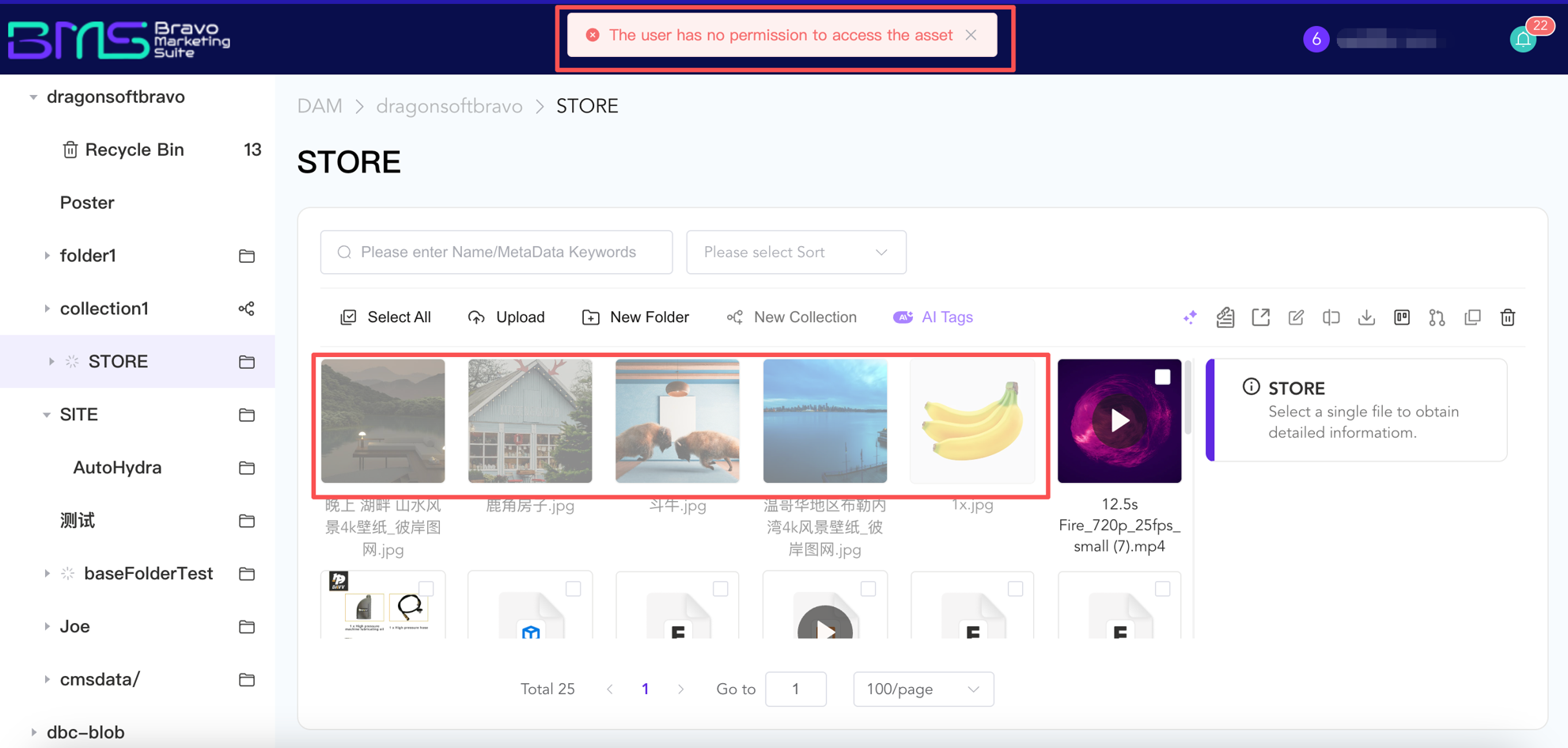
(Image: Users without permissions cannot access assets)
II. Multi-level Approval Workflow
Assets must pass a preconfigured approval process before publication. The system supports multi-level approvals, concurrent reviews by multiple approvers, and rejection with resubmission. Approval nodes can be flexibly configured by department, asset type, or publishing channel. AI-powered compliance detection automatically executes preliminary screening as the first step in the approval workflow; its results flow with the asset to each subsequent approval node as decision-support reference. Every approval action—including who performed it, when, and what decision was made—is fully logged and fully traceable. Upon approval, assets enter a publishable state; unapproved assets cannot exit the DAM boundary—eliminating non-compliant publishing risks at the process level.
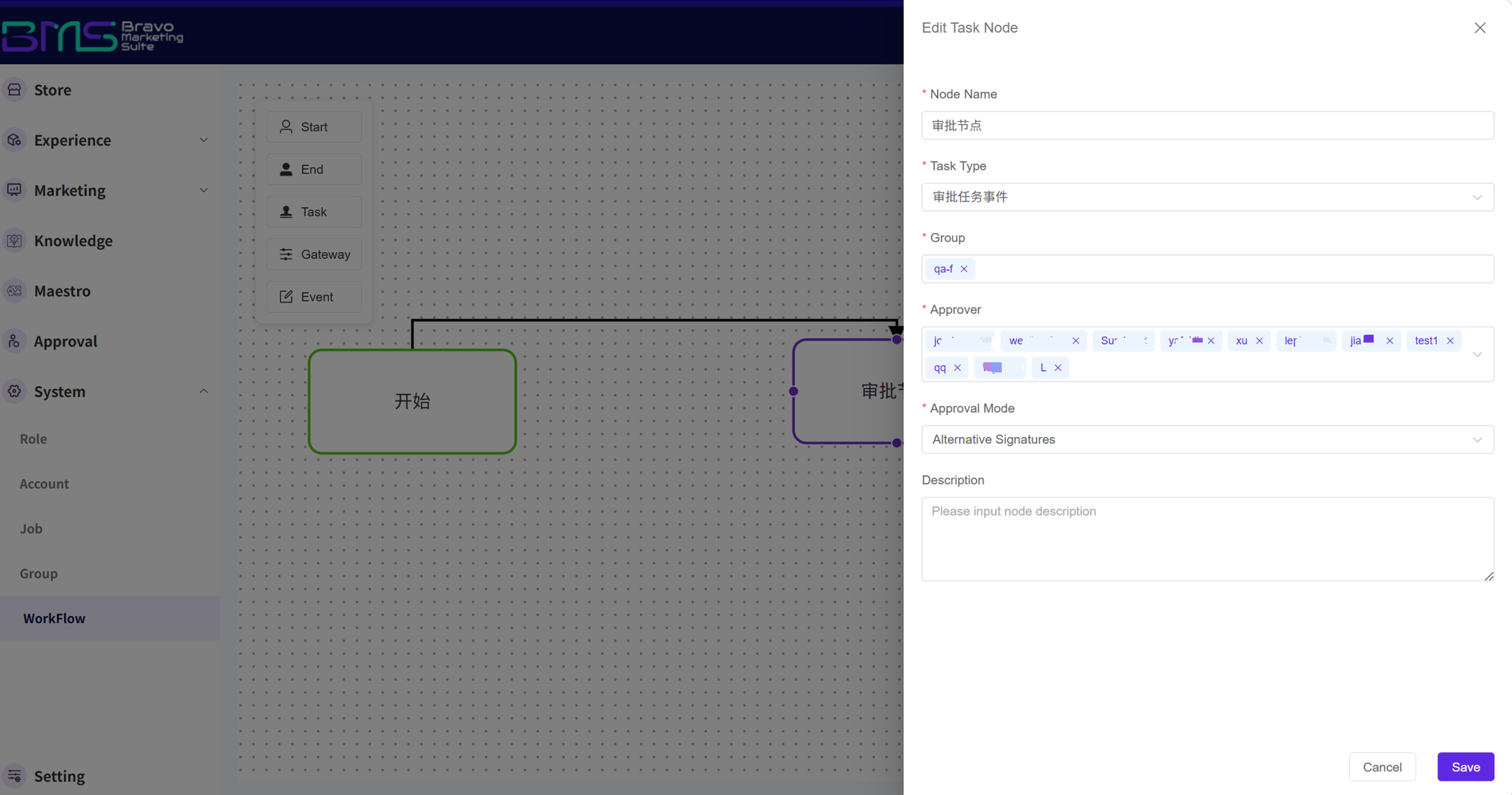
(Image: Approval workflow configuration)
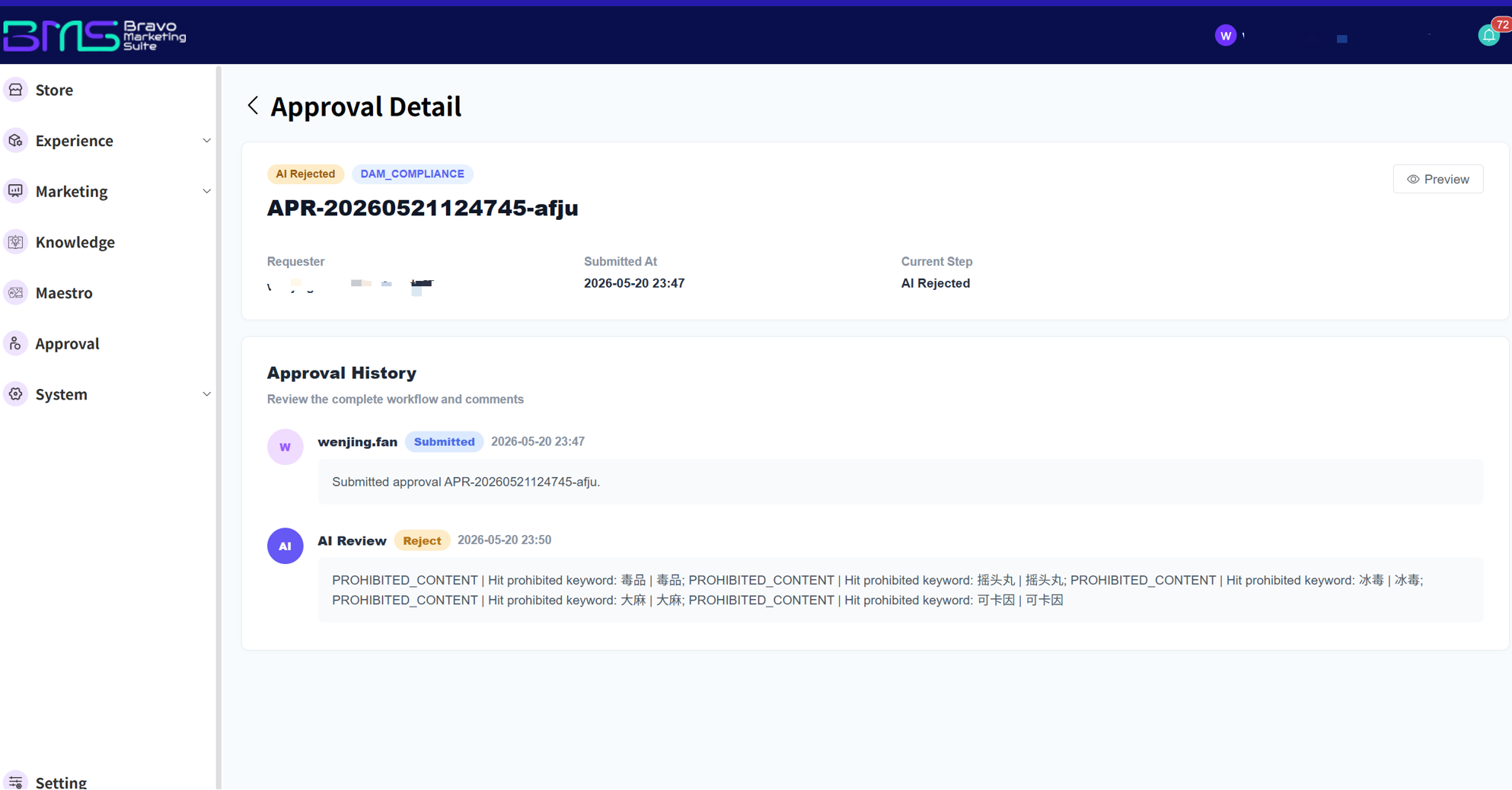
(Image: Approval operation interface)
III. Internal Asset Sharing
In cross-team collaboration, assets often need to be temporarily granted to internal users who lack default permissions. BMS-DAM enables on-demand asset sharing with flexible configuration of recipients and permitted operations. Sharing requires no modification to role-based permission settings—granted instantly and usable immediately—while strictly controlling asset access boundaries.
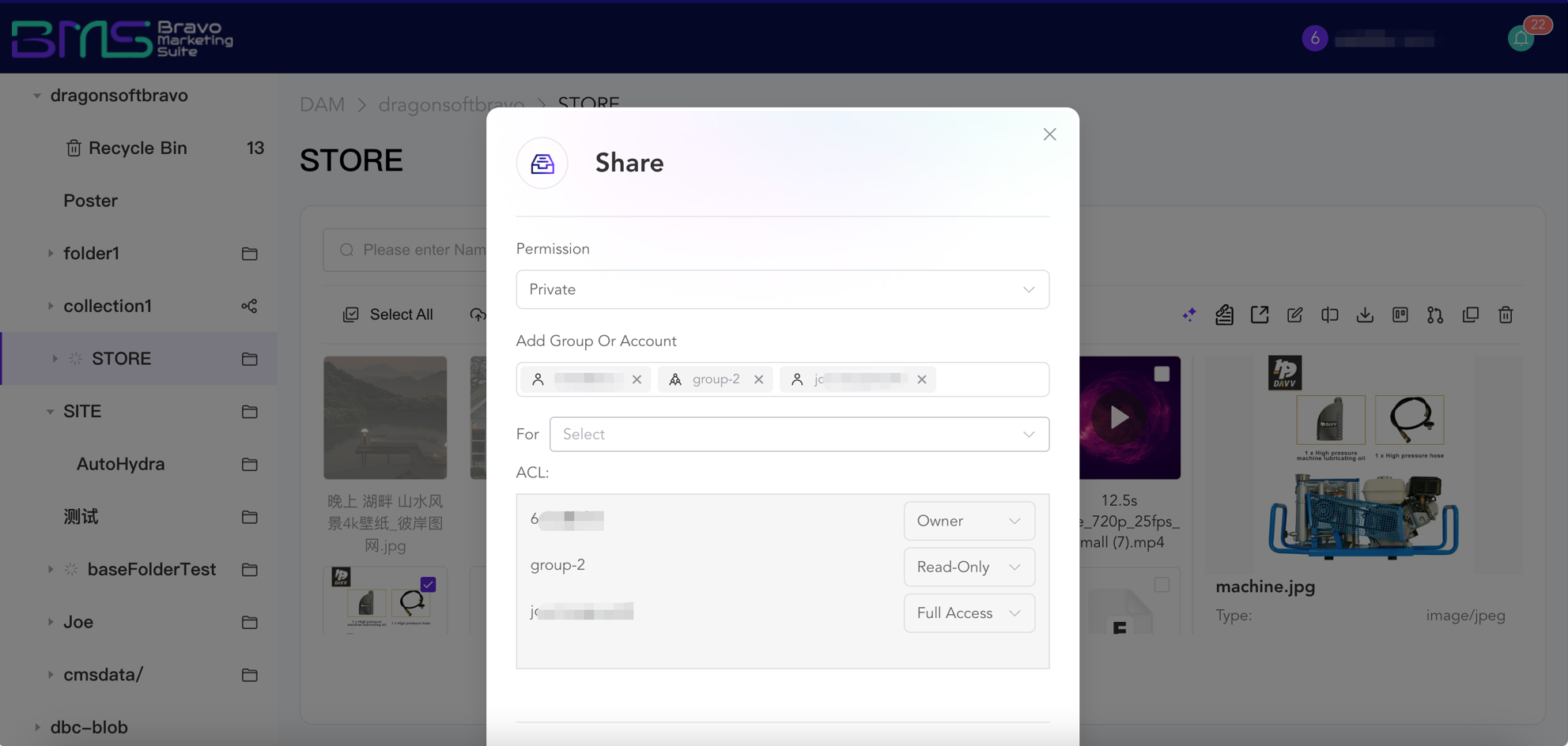
(Image: Asset sharing interface)
IV. Version Traceability and Rollback
Each edit automatically generates a version snapshot, fully recording the operator, timestamp, and changes made. When an asset is accidentally modified or a historical version needs to be restored, users can revert to any prior version with one click. The system employs a non-destructive editing architecture: all modifications exist as reversible editing layers, while the original file remains intact—never overwritten or accidentally deleted. From compliance auditing to creative iteration, every step of asset evolution is fully documented and verifiable.
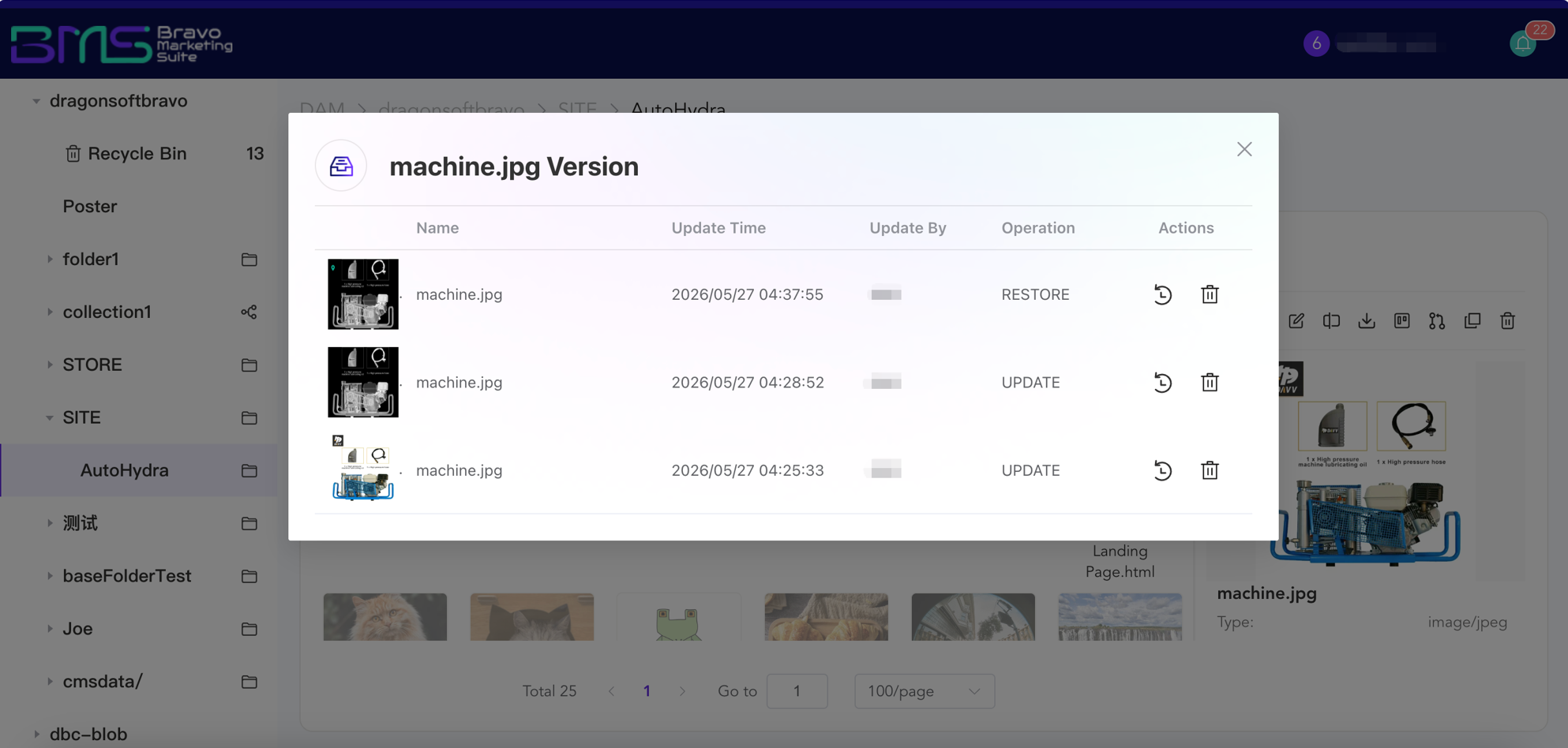
(Image: Version history interface)
Summary
Security management is not about restricting usage—it is about ensuring efficient, controlled asset circulation. Through progressive, interlocking controls across permissions, approvals, sharing, and versioning, BMS-DAM keeps enterprise assets—from upload and publication to usage and traceability—within a secure, trustworthy, and auditable framework.
Frequently Asked Questions (FAQ)
- Q1: Can approval workflows be customized? Are conditional approvals supported?
A: Yes. Approval nodes, approvers, and concurrent review rules can all be flexibly configured per business requirements. Different approval paths can be triggered based on conditions such as asset type, publishing channel, or involved monetary value—meeting enterprises’ diverse process needs.
- Q2: If the original file is modified or deleted after being shared, will the shared link be affected?
A: Shared recipients always see the latest version. Sharing automatically expires upon permission expiry—no manual revocation required. Downloaded copies remain unaffected by permission revocation, though the system cannot govern local file handling post-download.
- Q3: Will subsequent modification records be lost after a version rollback?
A: No. The rollback operation itself is recorded as a new version, preserving the complete version history. Users may roll back to any historical node at any time—all operations remain fully traceable.
- Q4: What role does AI-powered compliance detection play in the approval workflow?
A: Once an asset enters the publishing workflow, AI performs a full-spectrum compliance scan and generates a detection report. Assets passing AI screening proceed to human review nodes, where reviewers make final decisions based on the report. By front-loading AI screening, human review shifts from blind, item-by-item inspection to targeted verification—balancing efficiency and accuracy.

Want to know more about our products?
With years serving Fortune 500 clients, we offer flexible solutions and integrated implementation.
