






Online Editing Capability
Efficient content creation and real-time updates, AI-powered, all-in-one content asset processing—enabling digital assets to be "captured and used immediately", thereby unleashing creative productivity.
Core Advantages



Online Editing Capabilities: A Zero-Switch Workflow Enabling Digital Assets to Be "Used Immediately Upon Acquisition" and Unlocking Creative Productivity
In an era where content is king, enterprises generate, invoke, and distribute massive volumes of digital assets—such as images, videos, and copywriting—every day. The production efficiency of these digital assets directly determines a brand’s market responsiveness. Traditional DAM (Digital Asset Management) systems often address only the "storage" aspect, while isolating the "usage" phase into external tools—resulting in an inefficient loop of "download → local editing → re-upload", which not only fragments the creative and management workflows but also easily leads to version chaos, low efficiency, and even risks of information inconsistency. BMS Digital Experience Platform deeply integrates a DAM module and breaks down tool boundaries with native online editing capabilities + an AI-powered intelligent processing engine, unifying four core capabilities: visual fine-tuning, preset parameterized editing, free-command redrawing, and intelligent video generation. This enables seamless image processing, creative redrawing, and video production within a single platform—truly achieving an end-to-end intelligent content production loop of "edit → preview → publish". It elevates digital asset management from a passive “storage warehouse” " to an active “creation engine” ", transforming every asset invocation into an efficient starting point for creation.
I. End-to-End Image Editing Without Tool Switching
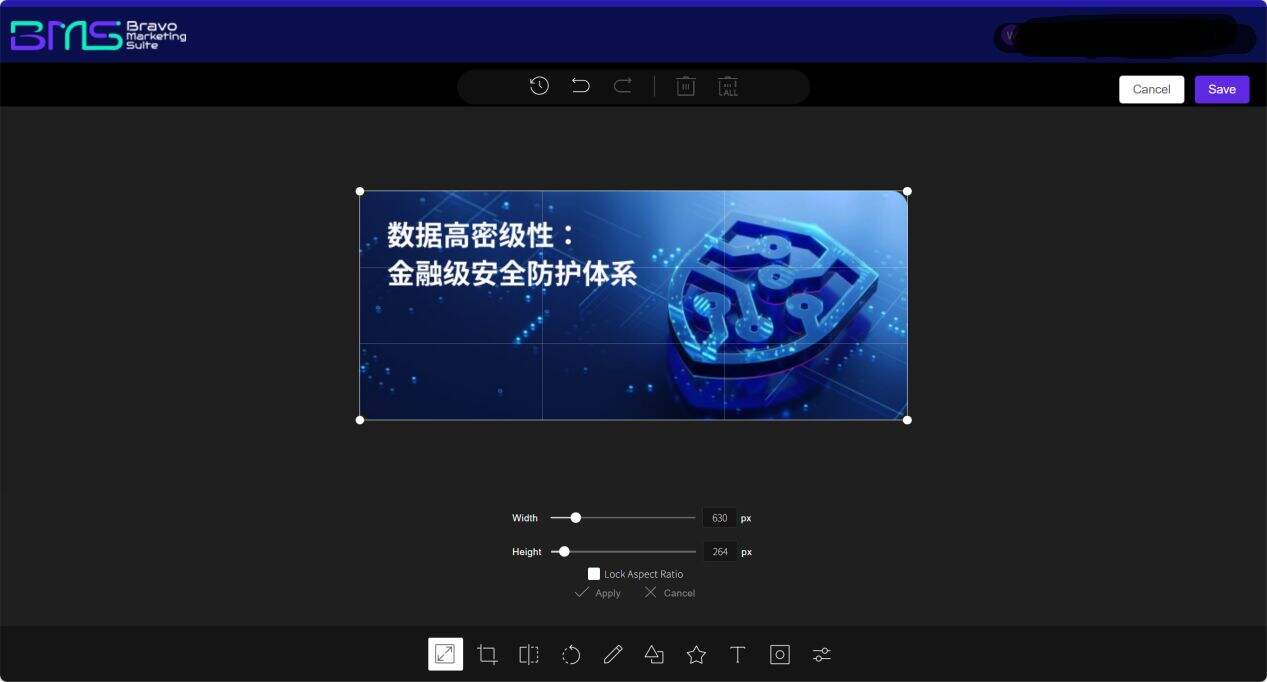
Say goodbye to the cumbersome process of downloading images locally, editing them using professional software, and then re-uploading them. Our DAM system embeds a professional-grade image editor supporting features such asonline cropping, dimension adjustment, filter application, and color correction. Marketing personnel can perform online edits directly within the asset library—all operations completed entirely within the browser. The system supports real-time rendering previews, making modification effects instantly visible, significantly lowering the technical barrier to image processing. Whether resizing product promotional images for different channels or adding brand watermarks to images, tasks are completed in seconds—greatly accelerating marketing material production. Non-designers can rapidly produce visually consistent content compliant with brand guidelines, compressing image production cycles from hours down to minutes.
II. AI-Powered Image Processing for Smarter Creative Efficiency
A Unified Multimodal Workspace Eliminates Tool-Switching Overhead
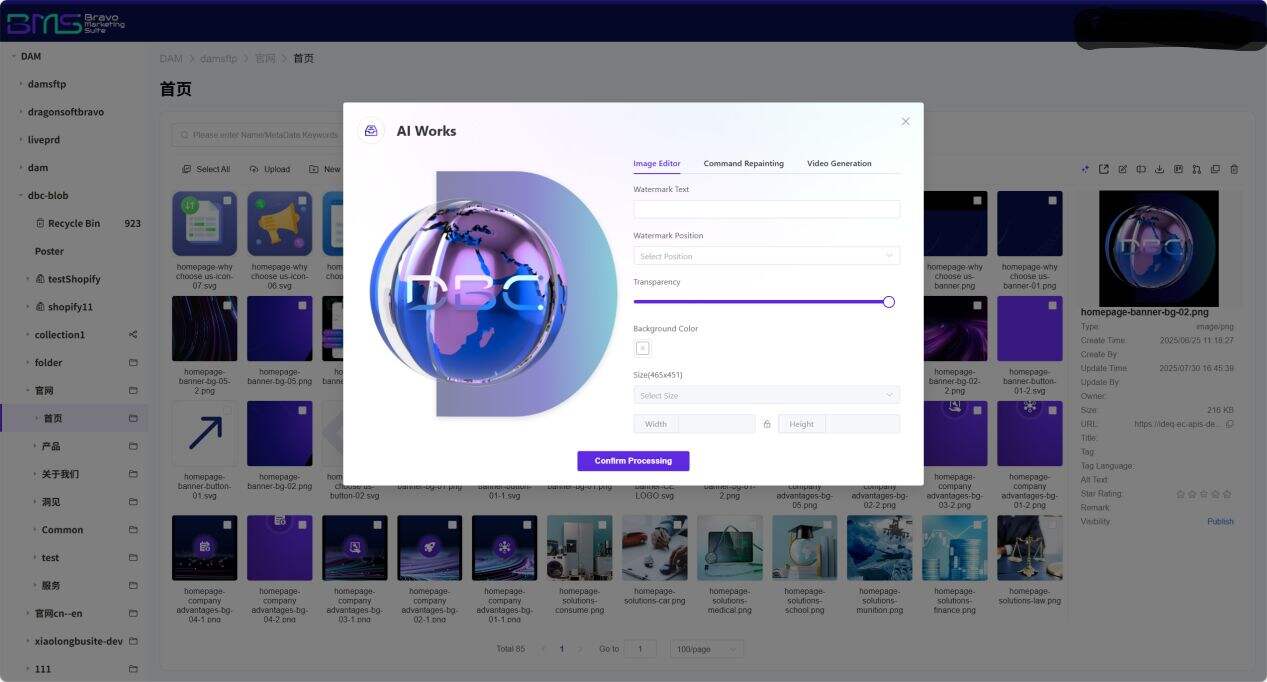
The system consolidates Image Editor (image editing), Command Repainting (instruction-based redrawing), and Video Generation into a unified AI Works workspace. Users can complete the full workflow of "parameterized retouching → AI-driven creative redrawing → video generation" within a single interface—without switching to external AI tools. This seamless experience significantly reduces learning overhead and subscription costs, establishing an enterprise-specific AI content production hub.
III. Rich-Text Real-Time Editor with WYSIWYG Layout
For document-type digital assets, the system includes an embedded online text editing engine, supporting font-style adjustments, paragraph formatting optimization, and quick insertion of lists/tables. It further offers a three-state toggle between "design mode / source-code mode / preview mode", eliminating the hassle of copying and pasting across different document tools while ensuring consistent formatting and stylistic uniformity across all content—dramatically improving both content creation efficiency and professionalism. Simultaneously, it meets diverse role requirements: marketers focus on content creation; technical staff adjust HTML structure directly; and executives preview final output instantly. This flexible editing model significantly reduces cross-departmental communication overhead.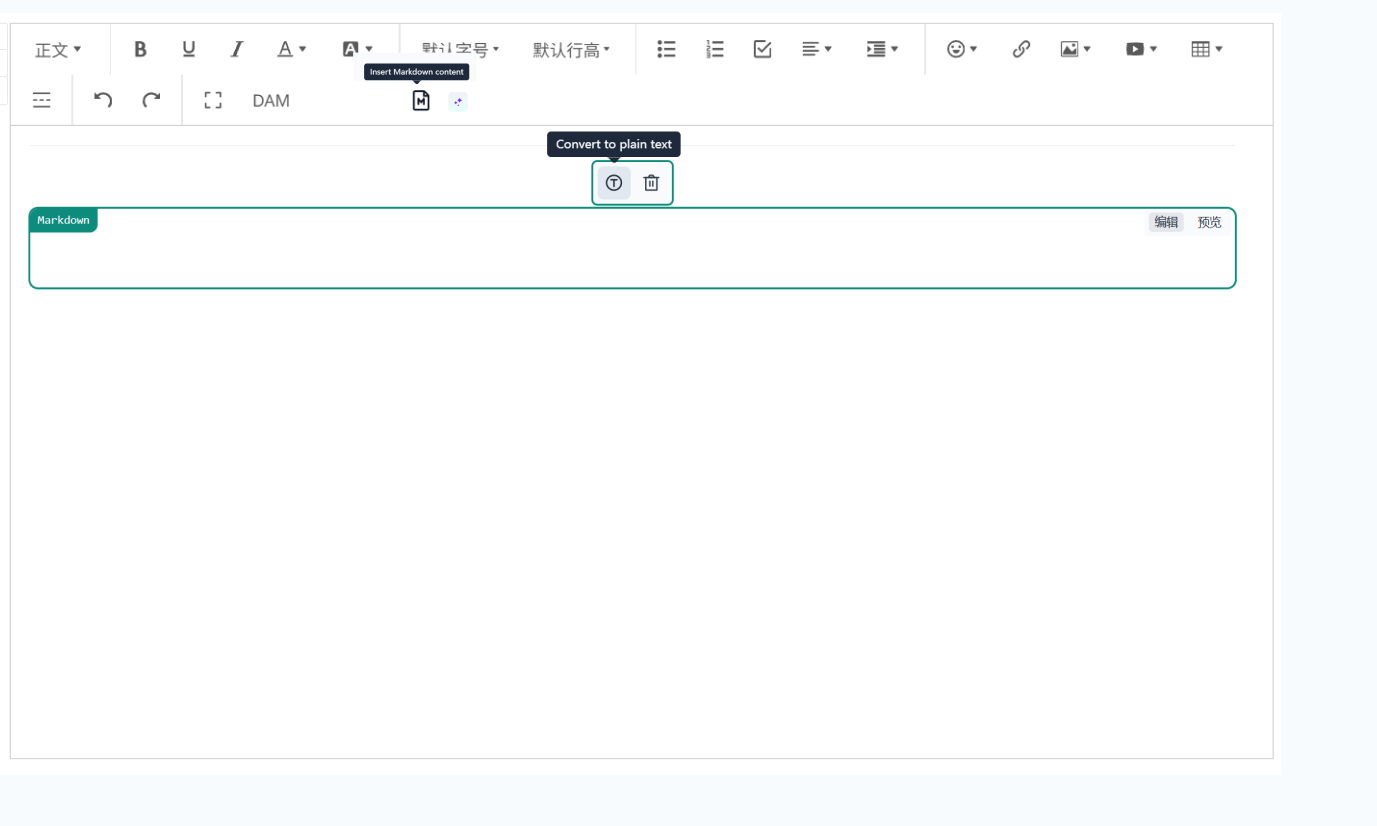
IV. Real-Time Cloud Synchronization Ensures Zero-Delay Content Freshness
All online editing and AI processing operations are instantly saved to the cloud asset library via real-time incremental synchronization technology. Edited assets require no manual replacement—the system automatically updates all content nodes referencing that asset. This means that once you modify a product image or product description, all pages, advertisements, and promotional materials referencing that asset automatically synchronize and update. Updates to website banners, product brochures, marketing posters, and AI-generated videos take effect within seconds—completely eliminating the risk of "modified but not replaced" content expiration, and preventing outdated images or text " from appearing on official websites or social media platforms, thereby safeguarding brand image consistency and accuracy/timeliness of brand message delivery.
V. Non-Destructive Editing Architecture: Original Assets Permanently Secured
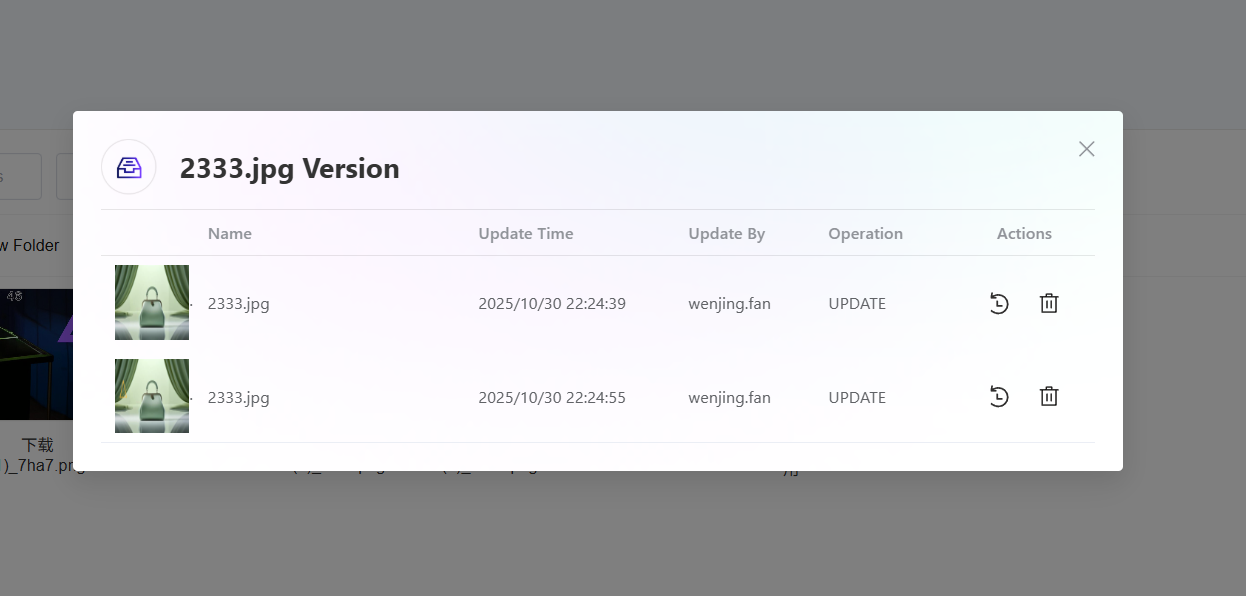
The system employs layered non-destructive editing (Non-Destructive Editing), where all filters, cropping operations, AI redrawing instructions, and video generation parameters are stored as reversible editing layers—ensuring the original high-resolution file remains fully intact at the base layer. Users can revert to any historical version at any time or generate multiple derivative assets—varying in size, style, or format—from the same original image. This "single-source, multi-use" capability drastically reduces redundant photography/design costs, building a sustainable, reusable enterprise digital asset hub.
Summary: From basic image processing to AI-driven creative generation, our DAM online editing capabilities cover the entire lifecycle of enterprise digital asset management. Whether you need rapid batch processing of product images, creative redrawing via natural-language instructions, or one-click conversion of static assets into marketing videos, the system delivers intuitive, user-friendly solutions.
Frequently Asked Questions (FAQ)
Q1: If I accidentally save an incorrect version during editing, can I restore it?
A1: Yes. Our system supports comprehensive version history tracking, enabling you to view and restore any prior version at any time—effectively preventing losses due to accidental operations and facilitating traceability of revision histories during team collaboration.
Q2: How accurate is the AI’s understanding of free-form instruction redrawing? Does it support Chinese instructions?
A2: Built upon a multimodal large language model, the system supports both Chinese and English natural-language instructions. It has been specially optimized for vertical domains such as e-commerce and industrial products, achieving over 95% recognition accuracy for common instructions like "changing background styles""adding lighting effects""removing clutter". Complex instructions support stepwise decomposition and preview confirmation to ensure outputs match expectations.
Q3: Is additional software or plugin installation required for online editing features?
A3: No. Our online editing features are built entirely on web technologies—all operations run natively within standard web browsers, requiring no client downloads or plugins—ensuring convenience, security, and cross-device, cross-platform compatibility.
Q4: Does the batch-processing feature support simultaneous editing of multiple images or multiple text documents?
A4: Yes. The system provides batch-editing functionality, allowing uniform watermarking, dimension adjustments, or filter applications across multiple images—or consistent formatting across multiple text documents—significantly boosting bulk content processing efficiency.
Q5: Will conflicts occur if multiple users edit the same asset simultaneously? Is there a queuing mechanism for AI tasks?
A5: The system implements real-time collaborative locking and intelligent task queue management. When multiple users submit requests concurrently, they are automatically queued and processed in parallel, with average per-image processing time < 5 seconds; video generation times vary depending on target video duration. All editing actions integrate with workflow mechanisms to preserve brand compliance and ensure efficient collaboration without disruption.
Q6: What use cases are best suited for the three AI-powered digital asset processing modules?
A6:
· Preset Parameterized Editing: Ideal for standardized processing needs such as rapid watermarking, dimension adjustment, or style unification—for example, batch-optimizing e-commerce product images;
· Free-Command Redrawing: Ideal for highly customized creative design or scene replacement—such as replacing backgrounds and adjusting elements in marketing posters;
· Video Generation: Ideal for rapid production of short-video ads, product demos, and social-media dynamic content—responding to the trend of short-video marketing.

Want to know more about our products?
With years serving Fortune 500 clients, we offer flexible solutions and integrated implementation.
