






Online Asset Editing
BMS-DAM includes built-in online editing for images, Office documents, and HTML source code. With AI Works, parameterized editing, repainting, and video generation live in one workspace.
Core Strengths


Online Asset Editing: Powered by AI Works, Ideas Land Instantly
BMS-DAM comes with built-in online editing covering image editing, Office document editing, HTML source code editing, and AI creation. Editing happens in the browser; saving updates the cloud asset directly, with no local software required.
1. Online Image Editing
The built-in editor supports cropping, resizing, color correction, filters, and watermarking. Every action is previewed in real time, and saving updates the cloud asset directly. Edit history records each step, so you can undo, redo, or jump back to any step and rework.

(Image: DAM online image editing interface)
2. Online Office Document Editing (VibeOffice)
doc, excel, ppt and other Office files open, edit, and save directly in the platform through VibeOffice—no need to download locally and re-upload. Saving a document automatically creates a new version under DAM version management and the permission system; the editor, time, and changes are fully logged. Product manuals, price lists, proposal decks, and other office assets are stored, updated, and distributed in the platform just like image assets.

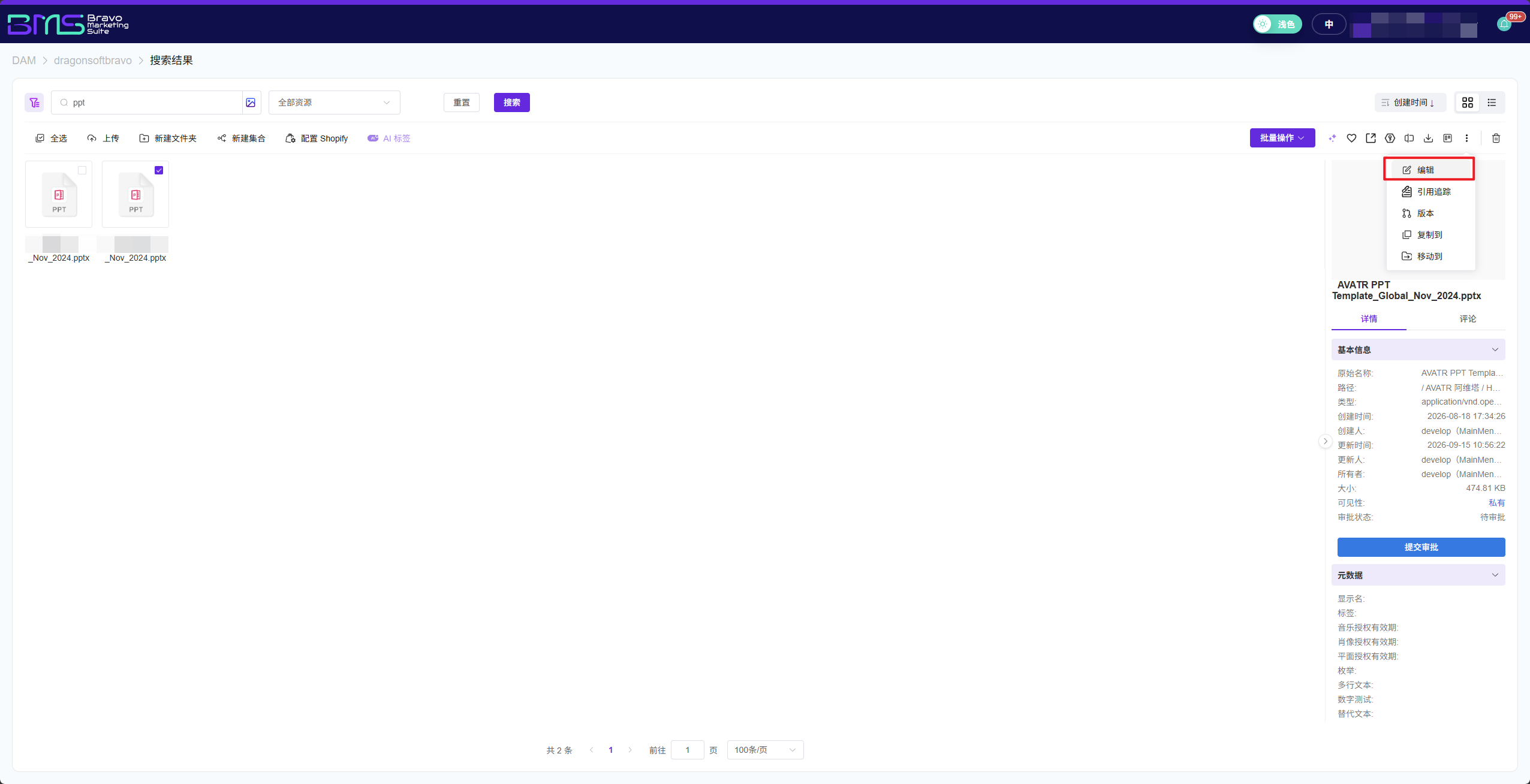
(Image: PPT editing interface)
3. HTML Source Code Editing
Web-page assets come with a built-in source code editor featuring syntax highlighting and light/dark themes. Modify HTML code directly in the platform; changes take effect immediately on save—no download-edit-upload cycle. Version management is supported, so you can roll back anytime.

(Image: HTML source code editing interface)
4. AI Works Creative Workspace
AI Works brings three creative capabilities together:
Parameterized editing (Image Editor): Pick an industry template, set watermark position, output size, and other parameters, and AI batch-processes images accordingly—ideal for standardized scenarios.
Command repainting (Command Repainting): Describe the desired effect in natural language (e.g., change background style, add lighting and shadows, remove clutter), and AI generates the result, with conversational fine-tuning supported.
Video generation (Video Generation): Select a static product image, and AI automatically identifies the subject, matches transition animations and background music, and produces a marketing short video ready for social media.

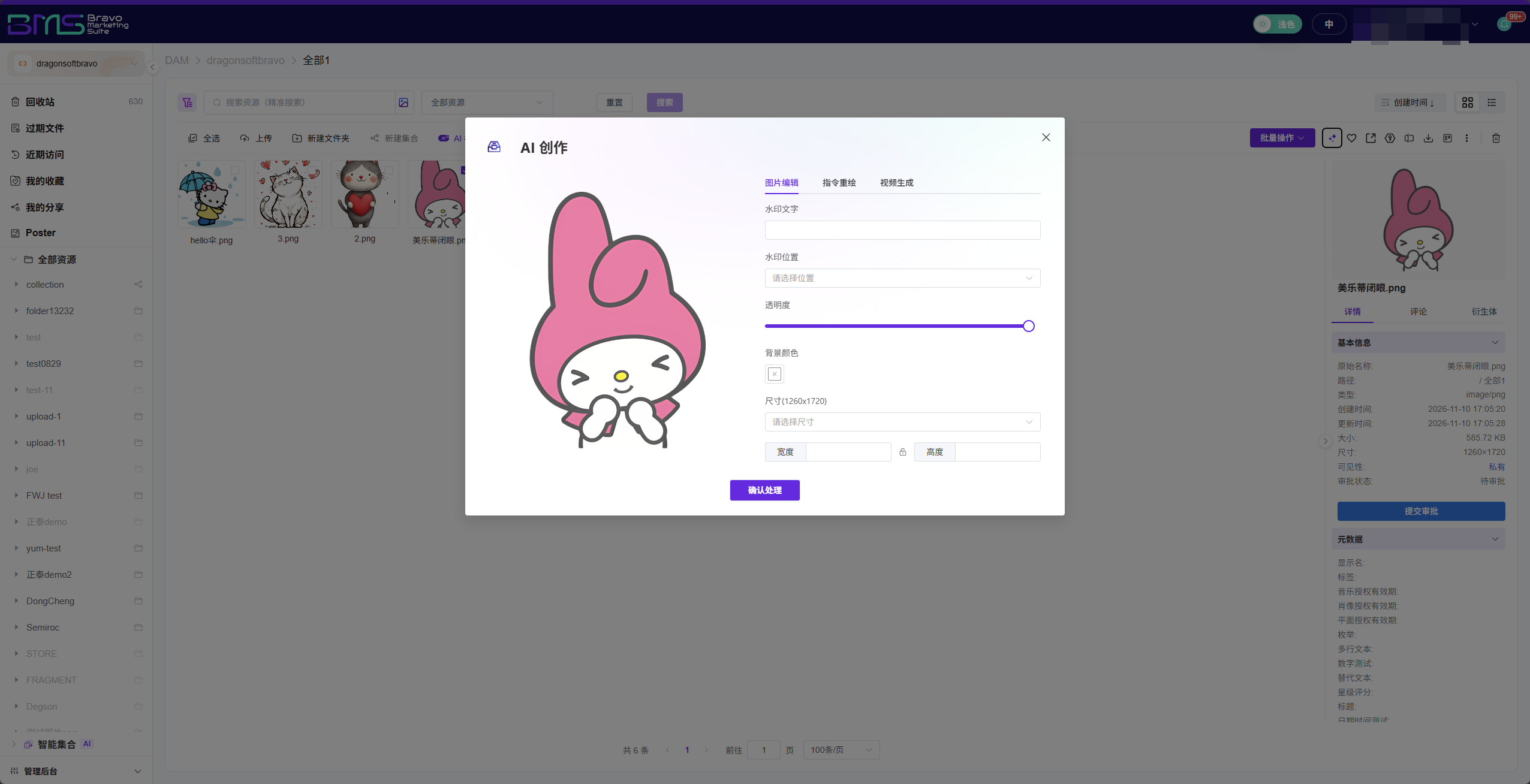
(Image: AI creation interface)
5. Real-Time Sync & Non-Destructive Editing
Edits are saved to the cloud instantly via incremental sync. Change one product image, and every page, store, or marketing material referencing it updates automatically—no manual replacement.
Editing uses a layered, non-destructive architecture: cropping, filters, and AI repaint commands are all reversible edit layers, while the original high-resolution file stays fully intact. You can roll back to any historical version, or generate versions in multiple sizes and styles from the same original.

(Image: Version history interface)
Summary
Editing for images, Office documents, web source code, and AI creation is built into the platform—save as you edit, references sync automatically, and original files are never lost.
Frequently Asked Questions (FAQ)
Q: Does online editing require plugins or a desktop client?
A: No. All editing features are web-based and work in a standard browser, across devices and platforms.
Q: How accurately does command repainting understand instructions?
A: It is built on multimodal large models optimized for e-commerce, industrial products, and similar scenarios. Common commands execute precisely; complex commands support step-by-step decomposition with preview confirmation.
Q: Can I recover if I accidentally save a wrong version?
A: Yes. Every save automatically creates a version snapshot; you can view and roll back to any historical version, and original files are never lost.
Q: Which formats does online Office editing support? Will it corrupt the original file?
A: Common formats including doc, excel, and ppt are supported, edited directly in the browser via VibeOffice. Saving automatically creates a new version under version management; the original file is never overwritten.

Want to know more about our products?
With years serving Fortune 500 clients, we offer flexible solutions and integrated implementation.
