





What are the differences between DAM, CMS, DXP, and PIM? A content architecture diagram explains it clearly.
Release Date: 2026-06-11
Author: William
Ⅰ.Positioning and boundaries of DAM, CMS, DXP, and PIM from the perspective of enterprise content architecture
In the enterprise digital content management system, DAM (Digital Asset Management), CMS (Content Management System), DXP (Digital Experience Platform), and PIM (Product Information Management) are the four common systems. They play roles in different stages of the content lifecycle, but their boundaries and collaborations are often easily confused.

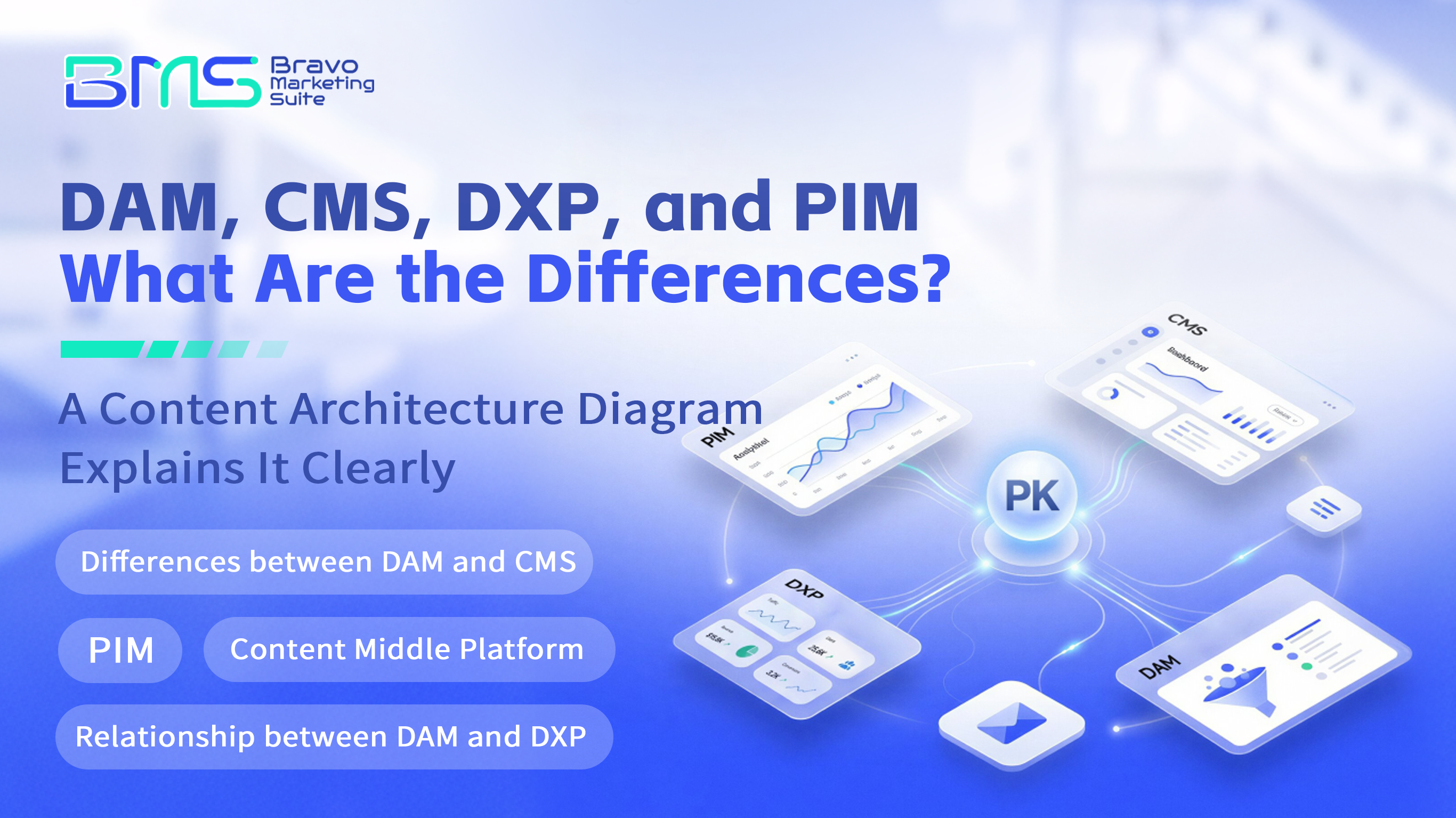
(The image shows the differences between DAM, CMS, DXP, and PIM?)
| System Name | Main Functions | Typical Content Types | Key Value Points | Main User Groups |
| DAM | Centralized storage, management, retrieval, and distribution of digital assets | Images, videos, documents, design drafts | Asset governance, version control, permission levels | Market, Design, Content Operations |
| CMS | Website content editing, publishing, and management | Articles, pages, component templates | WYSIWYG editing, multi-channel content publishing | Website operation, content editing |
| DXP | Cross-channel digital experience building, integrating CMS and marketing automation | Multi-site content, personalized experiences, API content delivery | Multi-language, multi-site management, experience consistency | IT, marketing, product teams |
| PIM | Product Information Centralized Management and Distribution | SKU Information, Specifications, Prices, Inventory | Product Data Standardization, Multi-channel Synchronization | Procurement, Sales, Supply Chain |
These four systems together form the foundational framework of the enterprise content ecosystem, covering the complete link from data collection, asset management to content publishing and user experience. Specifically:
l PIM, as the primary data source for product information, is responsible for ensuring that product-related data is accurate, consistent, and easily extensible. Standardized product information is fundamental, especially in multi-channel sales and cross-border trade.
l DAM handles visual assets and other digital resources related to products, ensuring that these resources can be quickly retrieved, version-controlled, and managed for permissions, avoiding duplicate designs and layout confusion.
l CMS is responsible for combining product information and visual assets to form customer-facing content pages, supporting rapid editing and publishing of content, ensuring timely updates of website content and consistency across multiple channels.
l DXP is a higher-level integration platform that encompasses CMS functions while supporting personalized marketing, cross-channel experience management, and data-driven user interactions, helping enterprises achieve their digital transformation goals.
In a real business environment, these four elements need to work closely together to form a complete content value chain from the data source to the user touchpoints. Otherwise, the isolated use of a single system can easily lead to content fragmentation, redundant work, and inconsistent user experiences.
Ⅱ. The difference between DAM and CMS: A comparison of content dimensions and application scenarios
DAM and CMS are often confused, especially in the context of website construction and content platform development. In simple terms:
l DAM focuses on asset management: It is a "content repository" that manages digital assets themselves, including design source files, photos, videos, and related metadata and version control. DAM emphasizes structured metadata, permission control, and approval workflows to ensure assets comply with brand standards and regulatory requirements.
l CMS focuses on content publishing: It is a "content engine" that supports the editing, organization, and publishing of content, typically providing a WYSIWYG editing experience and managing content around page and site structure.
1.Real-world enterprise scenario analysis
Taking the example of a multinational manufacturing company's website redesign, the marketing team needs to frequently update product promotional images, technical manuals, and case videos, which are managed uniformly by DAM. The source files and different versions of visual materials uploaded by the design department are stored in DAM, ensuring that only authorized personnel can access and use the latest versions.
Meanwhile, the content editing team uses CMS to write product descriptions, press releases, and event pages, embedding assets from DAM into the web pages. CMS calls DAM's API to retrieve the latest images and video resources in real-time, avoiding asset duplication and version confusion.
If a company attempts to manage all visual assets with CMS, it often leads to:
l Visual assets piling up disorderly, making it difficult to manage versions and permissions;
l The brand visuals are inconsistent, resulting in multiple versions due to a lack of centralized management;
l The content editing efficiency is low, with time-consuming repetitive uploads and asset searches.
2.Field and process examples
In DAM, typical metadata fields include:
| Field Name | Description |
| Asset Number | Identifier |
| Asset Type | Images, videos, documents, etc. |
| Version number | Current version and historical versions |
| Copyright information | Copyright ownership and usage restrictions of the asset |
| Usage status | Whether approved, pending review, or discarded |
| Associated product SKU | Related product number for easy retrieval |
After the asset is uploaded, it enters the approval process. The design lead reviews and confirms it before the asset is made available for content editing. The CMS then calls the DAM API to retrieve the asset list during the editing phase and inserts content through a WYSIWYG editor.
Ⅲ. The relationship between DAM and DXP: Why DAM should not be procured in isolation
In recent years, with the acceleration of digital transformation, the DAM market size has continued to grow. According to industry research, the digital asset management market is expected to reach approximately $6.29 billion by 2026 and is projected to climb to about $19.36 billion by 2034, with a compound annual growth rate of over 15%[3]. This shows that enterprises are increasingly valuing digital asset management.
1.The risks of isolated procurement of DAM
Although DAM is powerful, if enterprises procure DAM systems in isolation without effectively integrating them with systems such as CMS, PIM, and DXP, common issues include:
l Content silos: Digital assets cannot be synchronized in a timely manner to content publishing platforms, resulting in outdated or incorrect visual materials being used on official websites or marketing channels;
l Redundant construction: Each department manages assets independently, lacking unified standards and version control, leading to serious duplication of asset uploads and storage waste;
l Low operational efficiency: The absence of unified permissions and approval processes results in slow asset approvals, affecting the speed of content updates;
l Inconsistent user experience: Different channels use different versions of assets, making it impossible to maintain a consistent brand image and user experience.
2.Cross-department collaboration and process optimization
Taking a large consumer goods company as an example, the marketing, design, IT, and product departments need to collaborate closely. DAM serves as the visual asset management center, with the design department responsible for uploading and maintaining original images and videos, the marketing department planning campaign content based on the assets provided by DAM, content editors calling DAM assets in the CMS, and the IT department ensuring API connectivity and data security.
Through the DXP platform, the enterprise has achieved:
l Unified management of multi-site and multi-language content;
l Real-time synchronization of DAM assets and CMS content;
l Integration of marketing automation and personalized recommendations;
l Unified permission management and audit logs.
3.Implementation step recommendations
1. Requirement research and role definition: Clarify the needs of each department for digital asset and content management, and delineate permissions and responsibilities;
2. System selection and integration planning: Choose DAM and DXP platforms that support API integration, and plan interfaces with CMS and PIM;
3. Data standards and metadata design: Standardize asset metadata to ensure assets can be accurately retrieved and managed;
4. Process design and automation: Establish processes for asset upload, approval, and publication, using automation tools to reduce manual intervention;Training and promotion: Provide system operation and process training for relevant personnel to promote cross-departmental collaboration;
6. Continuous monitoring and optimization: Establish governance indicators such as asset utilization rate, approval duration, and duplicate upload rate, and regularly evaluate and optimize.
4.Budget and TCO perspective
Isolated procurement of DAM may have lower initial costs, but in the long run, the total cost of ownership (TCO) often becomes higher due to redundant construction, maintenance of multiple systems, and inefficient operations. By integrating DAM with DXP, companies can:
l Reduce the costs of duplicate content creation and storage;
l Enhance asset utilization and publishing efficiency;
l Simplify operational and maintenance processes, reducing labor input;
l Strengthen brand consistency and improve market response speed.
Ⅳ. PIM and DAM integration: Enhance the consistency of products and content
PIM focuses on the standardization and centralized management of product information, including data such as SKU, specifications, prices, and inventory. For B2B outbound enterprises, the synchronization of accurate product information and visual assets is particularly important.
1.Product Lifecycle Management Scenario
During the process of launching a new product, companies typically go through the following stages:
l Product Data Entry: The procurement or product team enters product information into the PIM, covering technical specifications, pricing, certification documents, etc.;
l Visual Asset Creation: The design team creates images, videos, and documentation based on product information and uploads them to the DAM;
l Content Arrangement and Publishing: The content team combines product information and visual assets through the CMS and DXP to form the official product page and marketing pages;
l Multi-Channel Synchronization: Through the DXP API, unified product information and digital assets are published to overseas e-commerce platforms, dealer portals, and mobile applications.
The integration of PIM and DAM ensures the consistency of product information and visual assets across multiple channels and systems, avoiding customer misunderstandings or sales losses due to information desynchronization.
2.Integration Check Example
| Integration Point | Description | Risk Boundary |
| Product SKU Association | DAM assets need to be associated with PIM product SKUs | Inaccurate associations lead to asset misuse or omissions |
| Asset Metadata Synchronization | Asset metadata must be consistent with product information | Inconsistent metadata affects retrieval and display |
| Permissions and Access Control | Asset access permissions must match the product lifecycle | Incorrect permission configuration can lead to information leakage or blockage |
| Multilingual Version Management | Product information and assets need to support synchronized multilingual versions. | Version desynchronization affects localized market promotion. |
| API call frequency and stability. | Ensure stable and efficient interfaces between DAM and PIM. | Unstable interfaces lead to data delays or losses. |
Through the above checks, enterprises can effectively avoid integration risks and ensure the accurate flow of data and assets.
Ⅴ.Collaboration practice recommendations for the official website CMS and digital asset management.

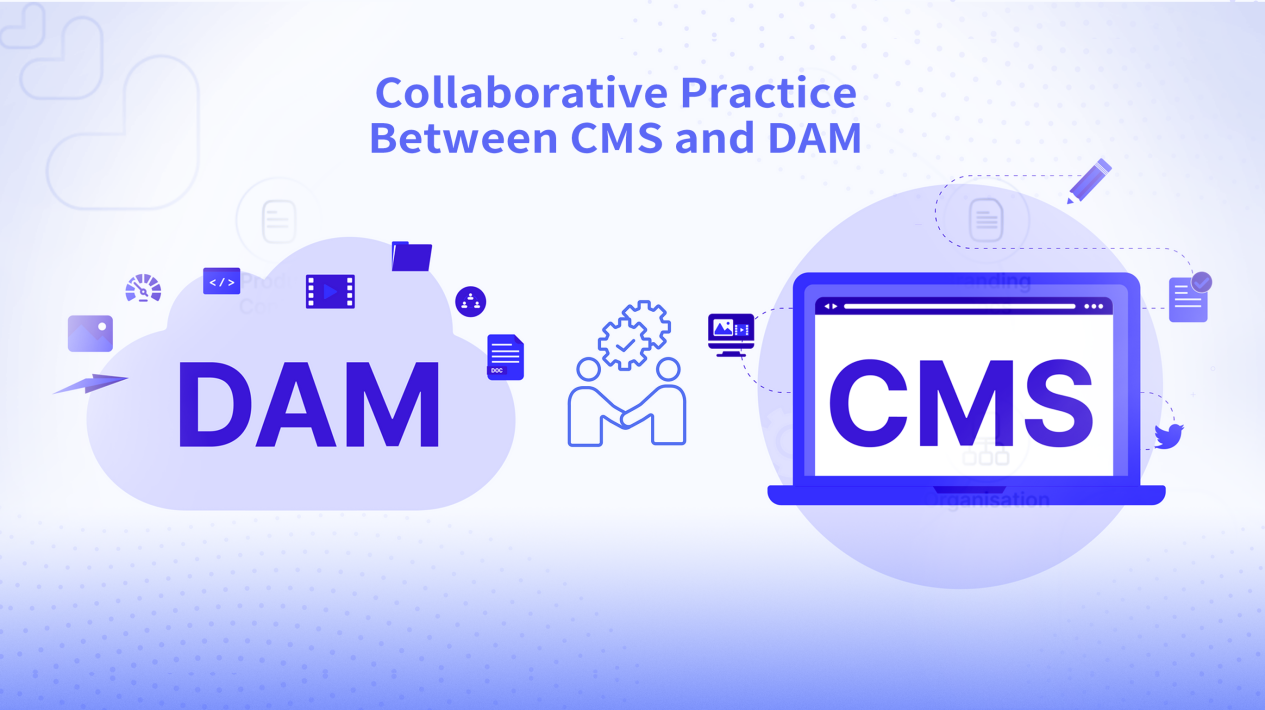
(The image shows the collaboration practice between CMS and DAM.)
For the redesign of the corporate website or the construction of a content platform, the following suggestions can help clarify the collaborative relationship between DAM, CMS, and DXP:
1. Clearly define responsibilities: DAM focuses on digital asset management, CMS is responsible for content editing and publishing, and DXP serves as an integration platform to coordinate the two. This avoids redundant construction and functional overlap, improving operational efficiency.
2. Support for multiple templates and components: The CMS needs to flexibly support multi-site and multi-template design, facilitating content reuse and rapid iteration. Combined with the rich visual assets provided by DAM, it achieves high-quality presentation of pages.
3. Utilizing SSR/SSG to enhance performance: By combining server-side rendering (SSR) and static site generation (SSG), it improves user access experience and enhances search engine friendliness.
4. Multi-language and multi-site management: Through mechanisms such as nested Live Copy, it ensures localization and consistency of content and assets across different markets, supporting complex internationalization needs.
5. Automated metadata and Schema Markup: Ensures SEO optimization and accurate identification by search engines, increasing content exposure and conversion rates.
6. Permission levels and approval flow: Ensures the quality and compliance of content and assets, preventing the misrelease of unreviewed content.
7. Private deployment and cloud-native operations: Meets enterprise security compliance and elastic scaling needs, ensuring stable and efficient system operation.
1.Cross-departmental collaboration mechanism
Official website projects typically involve multiple departments such as marketing, IT, design, and content operations. It is recommended to establish a content governance committee to regularly review the quality of content and assets and coordinate resources from all parties. The person in charge of the content middle platform should be responsible for formulating unified standards and processes to ensure data consistency and smooth processes between systems.
2.Key governance indicator examples
| Indicator Name | Description | Target value and frequency |
| Asset reuse rate | Proportion of DAM assets called by CMS pages | ≥70%, monthly statistics |
| Content release cycle | Average time from content creation to launch | ≤5 working days |
| Version error rate | Number of errors in published content or asset versions | ≤1%, quarterly assessment |
| Number of permission violation incidents | Unauthorized access or operational error incidents | 0, continuous monitoring |
| Multilingual synchronization rate | Proportion of completed synchronization for multilingual version content | ≥95%, check after each release |
Through quantitative indicators, enterprises can accurately control the quality of content and asset management, and timely identify and resolve issues.
FAQ
1. Can DAM and CMS be merged into one system?
Although some platforms support the integration of DAM and CMS functions, in complex enterprise scenarios, having clear responsibilities for both is more conducive to professional management. DAM focuses on digital asset governance, including version control, permission management, and metadata maintenance, making it suitable for design and marketing teams; CMS, on the other hand, focuses on content creation, page building, and publishing, primarily serving website content editing and operations teams. Merging the two can easily lead to bloated functionality, increased management complexity, and difficulty in meeting large-scale, multi-channel, and multilingual enterprise-level needs. Separately deploying and integrating through APIs is more beneficial for system stability and operational efficiency.
2. Is DXP equivalent to CMS?
DXP not only includes the content management capabilities of a CMS but also encompasses a broader range of digital experience management capabilities. It supports multi-site, multi-language, personalized recommendations, marketing automation, and cross-channel content distribution. DXP typically offers both Headed (traditional web) and Headless (API-driven) modes to meet the demands for flexible content delivery in modern digital transformation. Compared to a pure CMS, DXP places greater emphasis on the consistency of user experience and data-driven precision marketing, serving as a hub that connects content with business objectives.
3. Do enterprises have to purchase a DAM system?
For enterprises rich in visual assets and frequent cross-department collaboration, a DAM system can significantly enhance asset governance and reuse efficiency, reducing costs associated with duplicate design and content production. Especially in scenarios involving multiple brands, product lines, and channels, DAM is a key tool for ensuring brand consistency and content quality. However, small businesses or teams with fewer content assets can meet their needs through the basic asset management features of a CMS. It is important to avoid isolated procurement of DAM and to integrate it with systems like CMS and DXP to create a synergistic effect.
4. How do PIM and DAM work together?
PIM is responsible for managing structured product information, such as specifications, prices, and inventory, while DAM manages visual and document assets related to products. Once integrated, they ensure that the information and images on product pages are consistent, avoiding customer concerns due to information discrepancies. Integration typically occurs through associating product SKUs, enabling bidirectional synchronization of assets and product data, and publishing uniformly across channels via CMS or DXP. This not only enhances content accuracy but also simplifies content operation processes.
5. How does CMS support multi-language and multi-site?
Modern CMS achieves efficient management of multi-language content through template reuse, nested Live Copy mechanisms, and version control. Content editing teams can create a base version on the main site and meet different market needs through copying and localization adjustments. The system supports content synchronization and differentiated management, ensuring that each language version maintains consistency while incorporating local characteristics. Additionally, by combining the multi-language management features of DAM assets, it ensures synchronized updates of visual content, enhancing the overall user experience.
6. How do enterprises ensure the security and compliance of digital assets?
Security and compliance are at the core of digital asset management. A DAM system should support fine-grained permission levels to ensure that only authorized users can access or modify specific assets. Approval workflows and version tracking features help monitor the history of asset changes to meet audit requirements. Private deployment or hybrid cloud architecture can meet enterprises' needs for data sovereignty and regulatory compliance. Operations and maintenance teams should regularly conduct security checks and permission reviews to prevent internal risks and external attacks.
7. What advantages does BMS DXP have in integrating DAM and CMS?
BMS DXP supports both Headed and Headless modes to meet different content delivery needs. Its multi-site and multi-language management capabilities, combined with flexible API content delivery, enable seamless integration of DAM assets and CMS content. By using a WYSIWYG editor and real-time data synchronization, it enhances content editing efficiency and publishing speed, reducing repetitive work. At the same time, the system supports hierarchical permissions and approval processes to ensure the quality and security of content and assets, making it suitable for the digital operations of complex enterprise environments.
Contact us:
If you are evaluating the relationship between DAM and DXP, or planning a content platform and multi-site website redesign, please contact Longfu Information Technology (Shanghai) Co., Ltd.
Website: www.dragonsoftbravo.com
Email: sales-support@dragonsoftbravo.com
Phone: +86-21-61483130 (Monday to Friday 9:00-17:00, Beijing Time UTC+8)


Want to know more about our products?
With years serving Fortune 500 clients, we offer flexible solutions and integrated implementation.
