





From Shared Network Drive to DAM: A 90-Day Implementation Roadmap for an Enterprise Digital Asset Management Project
Release Date: 2026-07-24
Author: William
Introduction
The volume and complexity of content assets for modern enterprises continue to rise, rendering traditional shared network drives inadequate for digital asset management (DAM) requirements across departments, languages, and sites. The DAM market is projected to reach USD 6.29 billion by 2026, growing at a compound annual growth rate (CAGR) of approximately 15.1% [3], highlighting the urgent need for enterprises to upgrade their media libraries and content workflows.
Enterprise content encompasses not only vast volumes of images, videos, design files, and documents but also diverse requirements across business units, regions, and language versions. While shared network drives offer convenience, their lack of structured management and process control often leads to asset duplication, permission chaos, inefficient retrieval, and even compliance risks. For example, a major manufacturing enterprise experienced an incident where internal design files were accidentally deleted and irretrievable due to unclear permission settings on its shared network drive, resulting in project delays and additional costs.
Based on years of experience implementing B2B Digital Experience Platforms (DXPs) and DAM solutions, combined with industry trends, this article proposes a practical 90-day implementation roadmap to help enterprises steadily advance their DAM upgrades—balancing risk control, cross-departmental collaboration, and operational sustainability.
Days 0–30: Digital Asset Inventory and Current-State Assessment
The primary task upon project initiation is a comprehensive inventory of existing digital assets—including images, videos, documents—and their current usage status and management pain points. This phase focuses on establishing a clear, holistic view of all assets to avoid “black-box” operations.
Asset Classification and Standardization
Assets are classified in detail based on the enterprise’s business lines and content types, typically along dimensions such as “marketing materials,” “product images,” “internal documents,” and “legal & compliance materials.” For each category, ownership department, usage frequency, and lifecycle status must be explicitly defined. For instance, a retail enterprise classifies promotional posters under “marketing materials” and annotates their usage periods to facilitate subsequent automated archiving and updates.
Metadata Current-State Assessment
Metadata forms the foundational enabler for efficient DAM search and automation [2][4]. The project team must evaluate the completeness of metadata across existing assets—for fields such as title, description, tags, copyright information, and usage scope. Common issues include missing metadata, inconsistent formats, and redundant fields. Content management, legal, and IT teams should jointly participate in this assessment to ensure metadata design meets both business needs and compliance requirements.
Permission and Approval Workflow Assessment
Shared network drive permissions are typically limited to basic read/write access, failing to meet complex approval and security demands. This phase requires mapping the current permission allocation logic and identifying potential risk points—such as over-permissive access or absent approval processes. Through interviews with business departments and IT, real-world approval chains and permission adjustment scenarios are gathered to inform subsequent permission design.

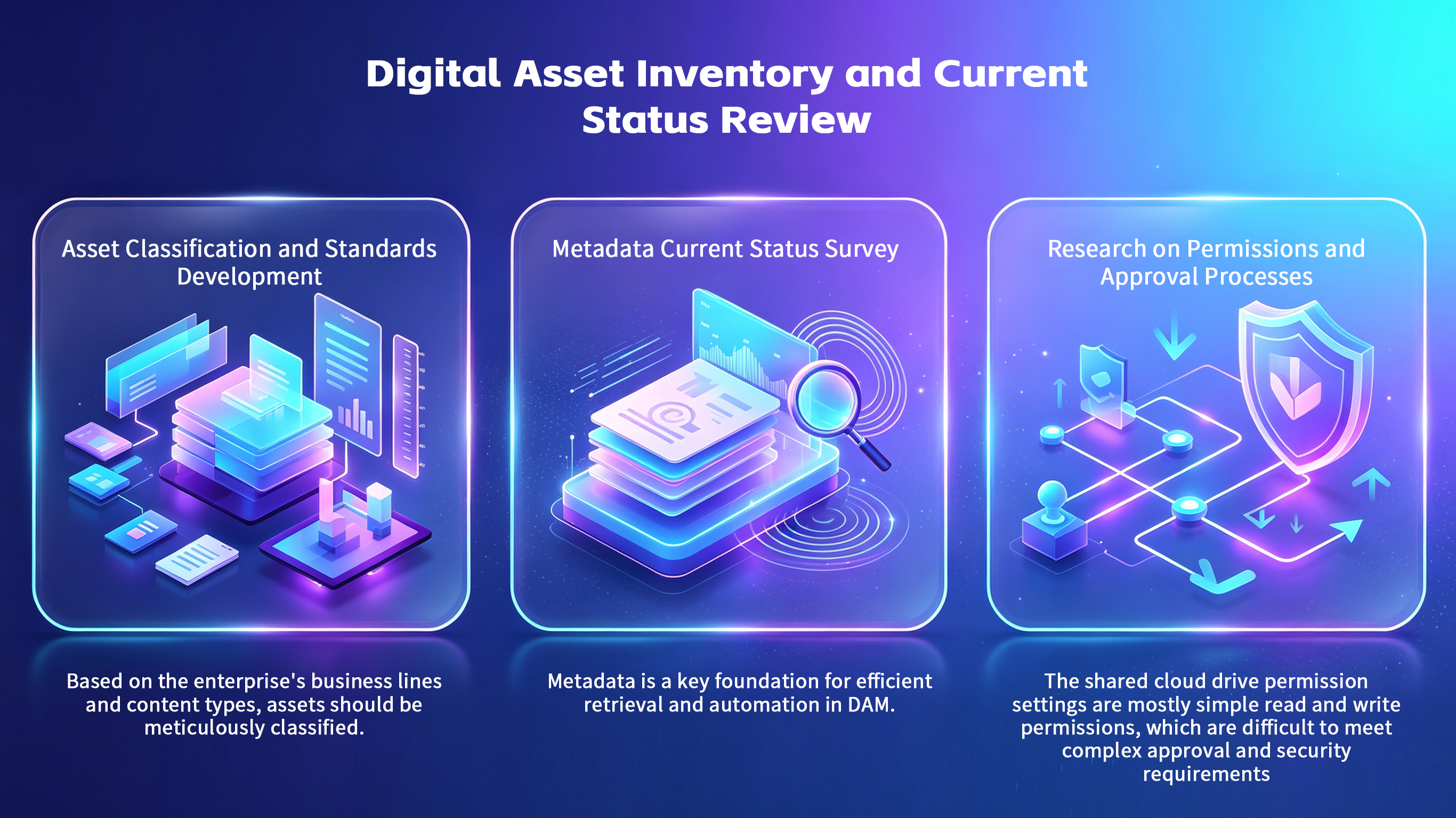
(Image illustrates asset inventory and current-state assessment)
Meeting Schedule and Deliverables
| Week | Meeting Topic | Participating Departments | Deliverables | Risks & Mitigation |
| Week 1 | Project Kick-off and Asset Inventory Plan Confirmation | Marketing, IT, Procurement, Digital | Asset Inventory Plan, Responsibility Assignment | Ambiguous asset definitions may lead to omissions; recommend department-level detailed verification |
| Week 2 | Metadata Current-State Assessment and Preliminary Standard Exploration | Content Team, IT, Legal | Metadata Quality Assessment Report | Conflicting metadata fields require unified terminology and formatting |
| Week 3 | Discussion on Current Permission and Approval Workflows | IT, Business Departments | Permission and Approval Issue List | Over-permissive access risk; recommend tiered permission design |
| Week 4 | Project Objective Confirmation and Risk Assessment | Project Lead, Department Representatives | Project Scope Confirmation Document, Risk Register | Unclear objectives may cause resource waste; KPIs must be explicitly defined |
Implementation Experience Addendum
Cross-Departmental Collaboration: Marketing, IT, Legal, and Procurement teams must establish regular communication mechanisms to ensure accuracy and completeness of asset inventory and permission assessment data. Some enterprises use weekly meetings alongside online collaboration tools (e.g., Jira, Confluence) to share progress and prevent information silos.
Budget Perspective: This phase primarily involves assessment and planning; required budget is concentrated on personnel effort and assessment tools—such as digital asset scanning tools and metadata analysis software. Personnel effort should be reasonably allocated to avoid excessive reliance on external consulting services, thereby reducing initial costs.
Risk Boundary: Incomplete asset inventory increases subsequent migration risks. Acceptance criteria should be set—for example, asset coverage ≥95%, metadata completeness ≥80%, zero permission conflict incidents.
Days 31–60: Permission & Workflow Design and Migration Pilot
After clarifying the current asset landscape, the project enters the DAM system design and pilot phase to ensure controllable migration risk and minimal business disruption.
Tiered Permission and Approval Workflow Design
Permissions must be designed based on business roles and responsibilities, establishing a multi-tiered permission framework—e.g., “View,” “Edit,” “Approve,” and “Publish”—and integrating approval workflows to manage content lifecycles. Approval workflows must comply with regulatory requirements; for instance, design file approvals must involve sign-offs from the design manager, legal review, and the brand management team. Role-based permission boundaries are clearly illustrated via flowcharts and permission matrices.
Metadata Standard Definition
Standard metadata fields are defined, specifying mandatory fields and input guidelines—for example, “Asset Name,” “Creation Date,” “Usage Scope,” and “Copyright Ownership.” Validation rules are introduced to minimize input errors. AI-assisted tools are leveraged to enable automatic metadata population and intelligent tag recommendations, enhancing efficiency and consistency [2].
Pilot Asset Repository Setup
Pilot scope should target departments or regions with moderate asset volume and strong business representativeness—e.g., the marketing department’s brand promotion asset library. Pilot migration includes asset selection, data cleansing, metadata enrichment, permission configuration, and real-world usage testing. Migration duration, error rates, and user feedback must be documented during the pilot to enable timely plan adjustments.
Meeting Schedule and Deliverables
| Week | Meeting Topic | Participating Departments | Deliverables | Risks & Mitigation |
| Week 5 | Permission Framework Review and Confirmation | IT, Digital, Business Departments | Permission Design Document, Approval Flowchart | Complex permission design increases error risk; recommend phased testing |
| Week 6 | Metadata Standard and Input Guidelines Training | Content Team, IT | Metadata Standards Manual, Training Materials | Inadequate training may result in non-compliant metadata; require strengthened supervision |
| Week 7 | Pilot Asset Selection and Environment Setup | IT, Business Departments | Pilot Migration Plan, Environment Setup Report | Excessively broad pilot scope heightens risk; recommend batched migration |
| Week 8 | Pilot Migration Execution and Feedback Collection | IT, Business Departments, Content Team | Pilot Migration Report, Consolidated User Feedback | Slow user adaptation necessitates dedicated support team deployment |
Implementation Experience Addendum
Cross-Departmental Collaboration: Permission design must align with actual operational habits of business departments to avoid impractical workflows. Business department feedback collected during the pilot phase must be fully incorporated to refine permissions and workflows, producing a scalable solution.
Budget and TCO Perspective:The pilot phase allows for evaluation of the migration tool, manual labor costs, and system customization development investment, enabling formulation of a detailed budget plan. Pilot results will directly impact subsequent rollout budgets and resource allocation.
Risk Control: Prior to pilot migration, backups must be performed and an emergency recovery plan established. Critical milestone acceptance checkpoints shall be set during migration, e.g., migration accuracy ≥99% and user satisfaction ≥80%.
Days 61–90: System Integration, Training, and Operational Metrics Establishment
Complete integration of the DAM system with the BMS Digital Experience Platform (DXP), driving standardized operations and continuous optimization.
DAM-DXP Integration
Via APIs or middleware services, position DAM as the core content asset repository, delivering structured content services for multilingual, multi-site corporate websites. Integration supports SSR (Server-Side Rendering) and SSG (Static Site Generation), enhancing page load speed and SEO performance. AI-powered translation and writing optimization capabilities are supported to meet global content management requirements.
During integration, ensure cross-system permission synchronization, metadata consistency, and content version control. Typical implementation steps include interface definition, data synchronization testing, and exception handling mechanism design.
User Training and Promotion
Design tiered training programs tailored to distinct user roles. Core administrator training emphasizes system configuration and permission management; business user training focuses on metadata entry, asset upload, and approval workflows. Training formats are diverse, combining online tutorials, live demonstrations, and Q&A sessions to ensure rapid user proficiency.
During the promotion phase, incentive mechanisms—such as awarding points or certificates upon training completion—can be introduced to encourage active user participation.
Operational Metrics and Feedback Mechanism Establishment
Design a key operational metrics framework covering:
Asset Utilization Rate: Measures frequency of asset usage, reflecting extent of asset value realization.
Approval Duration: Average time required for approval workflows, indicating process efficiency.
Search Efficiency: User search success rate and average search time.
User Satisfaction: Collected via periodic surveys.
Establish regular data reporting and operational review meeting mechanisms to form a complete continuous improvement loop. Identify bottlenecks through metric monitoring and optimize metadata, permissions, and workflows accordingly.

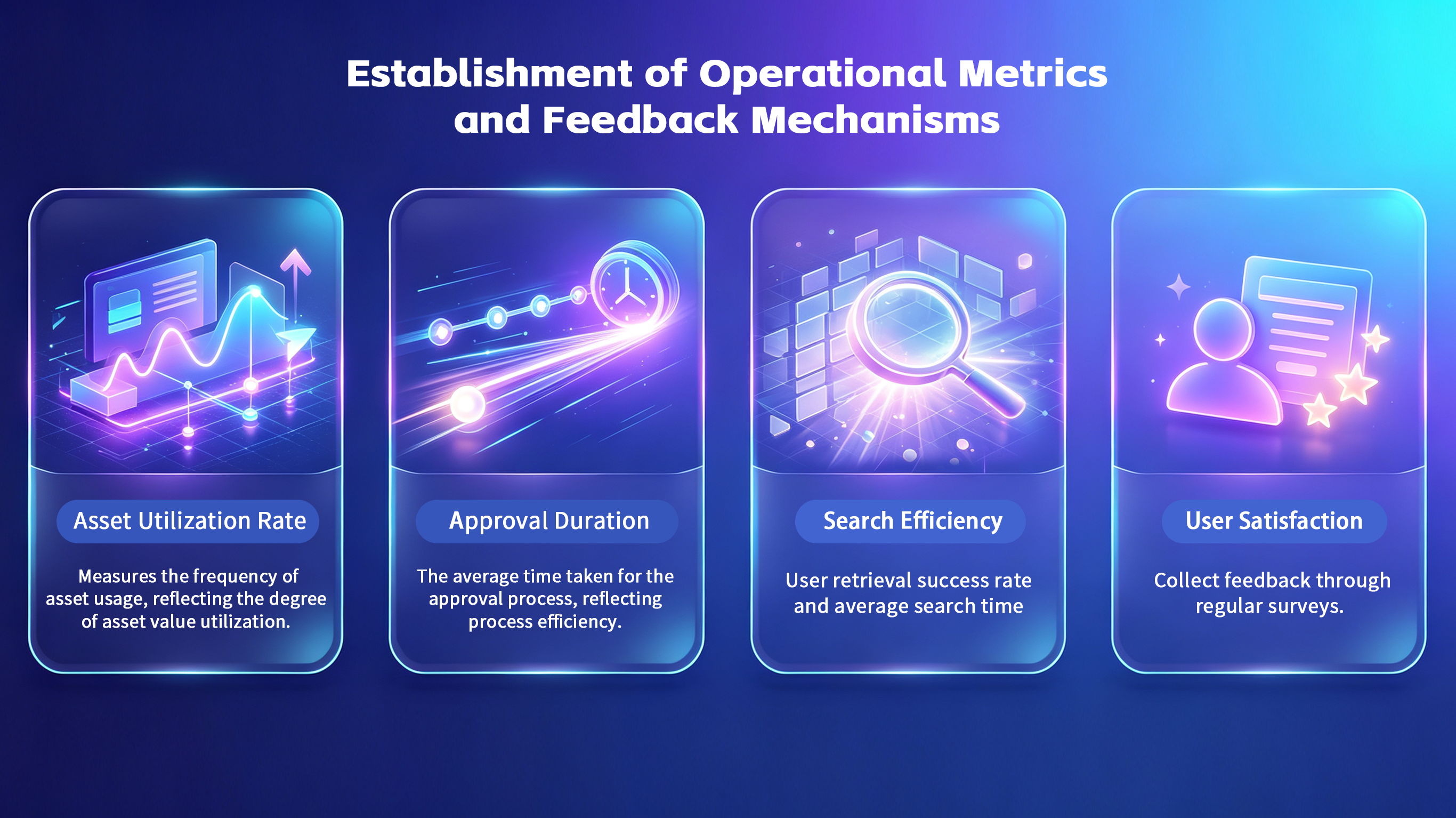
(Image illustrates establishment of operational metrics and feedback mechanisms)
Meeting Schedule and Deliverables
| Week | Meeting Topic | Participating Departments | Deliverables | Key Acceptance Criteria |
| Week 9 | DAM-DXP Integration Plan Review and Implementation | IT, Development Team | Integration Interface Documentation, Test Report | Integration Success Rate ≥99%, Interface Response Time <500ms |
| Week 10 | User Training and Promotion Plan Execution | Training Department, Business Departments | Training Materials, User Operation Manual | Training Coverage Rate ≥90%, User Training Satisfaction ≥85% |
| Week 11 | Operational Metrics Framework Design and Feedback Mechanism Establishment | Project Manager, Operations Team | Metrics Framework Document, Feedback Mechanism Process | Asset Utilization Rate Increase ≥20%, Approval Duration Reduction ≥15% |
| Week 12 | Project Summary and Next-Step Planning | Entire Project Team | Project Summary Report, Optimization Recommendations | Project Objective Achievement Rate ≥90%, User Satisfaction ≥80% |
Implementation Experience Addendum
Cross-Department Collaboration: The operations team must closely coordinate with IT, content, and business departments to ensure data accuracy and metric validity. Establishing an operations task force is recommended to drive dynamic metric adjustments.
Risk Boundaries: Integration risks include interface incompatibility and data synchronization latency. Detailed test cases and rollback plans must be formulated to safeguard system stability.
Budget Perspective: Integration development and training typically account for 30%–40% of total project budget. Resources must be allocated prudently to avoid superficial training and ensure users genuinely master system operations.
FAQ
Q1: What is the primary risk of an enterprise digital asset management (DAM) project?
A1: The greatest risk lies in the absence of clear asset classification and metadata standards, rendering digital assets difficult to retrieve and reuse post-migration. Enterprises often neglect thorough preliminary research and proceed directly to system procurement, resulting in inconsistent asset quality that undermines subsequent operational efficiency. Additionally, poorly designed permissions may lead to content leakage or erroneous operations. It is recommended to prioritize comprehensive asset and metadata inventory work at the project outset, explicitly define classification standards and field specifications, and design permission systems aligned with business approval workflows—ensuring content flows both securely and efficiently.
Q2: How can adoption of DAM across departments be ensured?
A2: Departments exhibit diverse DAM requirements and priorities, posing significant adoption challenges. A phased pilot strategy is recommended: select highly representative business departments for initial migration and iteratively refine the system and workflows based on real-world usage feedback. Involve multiple departments jointly in permission and workflow design to strengthen ownership. Complement targeted training and sustained communication to help users understand DAM’s value proposition and operational methodology, mitigating resistance. Introduce incentives and support channels during rollout to lower usage barriers and boost adoption rates.
Q3: Is DAM merely a replacement for shared network drives?
A3: DAM transcends shared network drives by emphasizing structured content management and value governance. It supports automated approvals, version control, multilingual management, and granular permissions—enhancing content asset compliance and reuse efficiency. Shared network drives primarily function as file repositories lacking standardized metadata and process controls, making them ill-suited for cross-departmental collaboration and complex content operations. DAM serves as foundational infrastructure for enterprise digital content operations, supporting continuous marketing, branding, and product content optimization and digital transformation.
Q4: What is the relationship between DAM and DXP?
A4: DAM manages the lifecycle and structured information of digital assets—the source-of-truth content management system—while the Digital Experience Platform (DXP) handles content presentation and user interaction. Upon integration, enterprises achieve a closed-loop content journey from management to delivery, improving content update efficiency and user experience. DXP can directly consume DAM assets to enable multilingual support, personalized delivery, and rapid deployment. A well-architected DAM-DXP integration reduces redundant content development costs and enhances agility in digital marketing and operations.
Q5: How should DAM implementation effectiveness be evaluated?
A5: DAM effectiveness assessment requires both quantitative metrics and qualitative feedback. Key metrics include asset utilization rate (number of asset calls), approval duration (process efficiency), search efficiency (search success rate and average time), and user satisfaction. Supplement these with business department feedback to gauge content reuse rates and operational improvement opportunities. Establish baseline data early in the project and continuously monitor trends post-implementation. Hold regular operational review meetings to adjust metadata standards, permission designs, and training strategies based on data and feedback—maximizing DAM value realization.
Q6: How is content security ensured during migration?
A6: Content security constitutes one of the core migration risks. First, perform comprehensive asset backups and version management prior to migration to prevent data loss from migration failures. Second, implement multi-tiered permission management to strictly govern access and operational privileges, preventing sensitive content exposure. During migration, employ encrypted transmission and auditing mechanisms to monitor anomalous operations in real time. Post-migration, conduct permission validation and security testing to ensure system compliance with enterprise policies. Cross-departmental collaboration in developing security policies and contingency plans is critical to securing the migration process.
Q7: How long before a DAM project delivers tangible results?
A7: Generally, a DAM project can complete foundational asset inventory and pilot migration within the first three months after launch, achieving content structuring and permission optimization. This phase primarily establishes the project foundation and risk control. Within six months, as system integration and user training are completed, content management efficiency and asset utilization will significantly improve. In the long term, DAM requires continuous operation and optimization—gradually enhancing business value and digital maturity through operational metrics monitoring and feedback mechanisms. Enterprises should view DAM as an evolving digital asset governance platform rather than a one-time project.
Contact Us
If you are evaluating the relationship between DAM and DXP, or have specific requirements for building an enterprise media library, please contact Dragon Bravo Corporation. We provide digital asset management and digital experience solutions based on BMS DXP , supporting multilingual and multisite capabilities, AI-powered translation and writing optimization, helping enterprises steadily advance their digital asset upgrades.
Website: www.dragonsoftbravo.com
Email: sales-support@dragonsoftbravo.com
Phone: +86-21-61483130
Business Hours: Monday–Friday, 9:00–17:00 (Beijing Time, UTC+8)
References
[1] :https://www.fotoware.com/digital-asset-management-trends-2026 "Digital Asset Management trends 2026: What you need to know now"
[2]: https://www.bynder.com/resources/ai-in-digital-asset-management "AI in digital asset management: key trends from State of DAM 2026"
[3]: https://www.fortunebusinessinsights.com/digital-asset-management-market-102576 "Digital Asset Management (DAM) Market Size, Share & Industry Analysis, 2026–2034"
[4]: https://www.baklib.com/dam-trends-2026 "Four Key Trends in DAM Digital Asset Management in 2026"
[5]: https://www.orangelogic.com/7-reasons-dam-matters-2026 "7 reasons DAM matters more than ever in 2026"


Want to know more about our products?
With years serving Fortune 500 clients, we offer flexible solutions and integrated implementation.
